Digital Parking Passes
Digital parking passes for stadiums and event venues: fast issuance, strict entry control, transparent reporting.
Manual processes and risks at checkpoints
The existing vehicle access model is inefficient and creates bottlenecks
Scattered requests
Requests come in via email and messengers; data is fragmented and unsystematized.
Data-entry errors
Manual data transfer leads to mistakes, duplicates, and lost requests.
Difficult expiry control
Hard to track a pass's validity period and prevent its reuse.
No unified database
There's no single pass database or centralized entry history.
No transparent audit trail
Impossible to trace who created, modified, or sent a pass.
Paper-based red tape
A large volume of paperwork slows down all checkpoint processes.
A closed digital parking pass service
A unified system for auto-generating passes, a centralized database, and full control
Restricted access
Only authorized security staff and administrators can access the system.
Structured form
Convenient data entry: vehicle, contact, event, parking zone, and exact validity period.
PDF auto-generation
Generates a compliant pass with a unique QR code and automatic numbering.
Instant delivery
Send the pass by email in one click, with the option to edit and resend.
Unified pass database
Centralized storage, quick filtered search, and a full scan history view.
Security and control
Full action logging, expiry-based lockout, and daily backups.
How it works — from request to entry
A simple, controlled process for issuing digital parking passes
Request comes in
The request arrives at the security service's corporate email.
System login
Security staff log into the closed digital parking pass service with a username and password
Filling out the form
They transfer the data from the email into the form, selecting the event and parking zone.
PDF generation
When saved, the system generates a PDF pass with a unique QR code.
Email delivery
The system sends the finished pass by email as a printable file.
Checkpoint verification
Security scans the QR code at the checkpoint using an ordinary smartphone camera.
Re-entry protection
On a repeat entry attempt, the system flags that entry has already occurred.
Database storage
All entries are saved to a unified database.
Creating a pass — an intuitive interface
Fast, error-free request processing
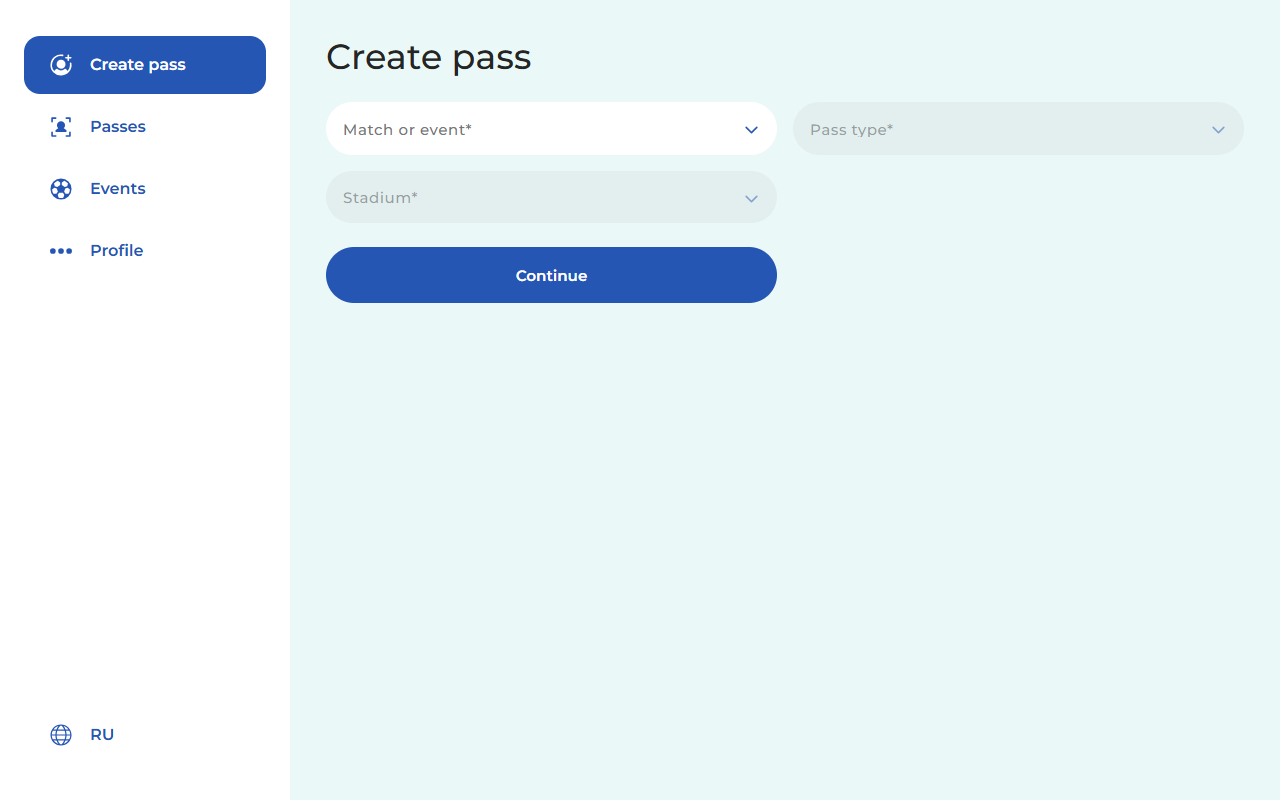
Select event and type
Staff select an event from the registry, specify the pass type, and link it to a specific parking zone.
- Selection from the current events list
- Pass type: single-use or seasonal
- Parking zone assignment from a reference list
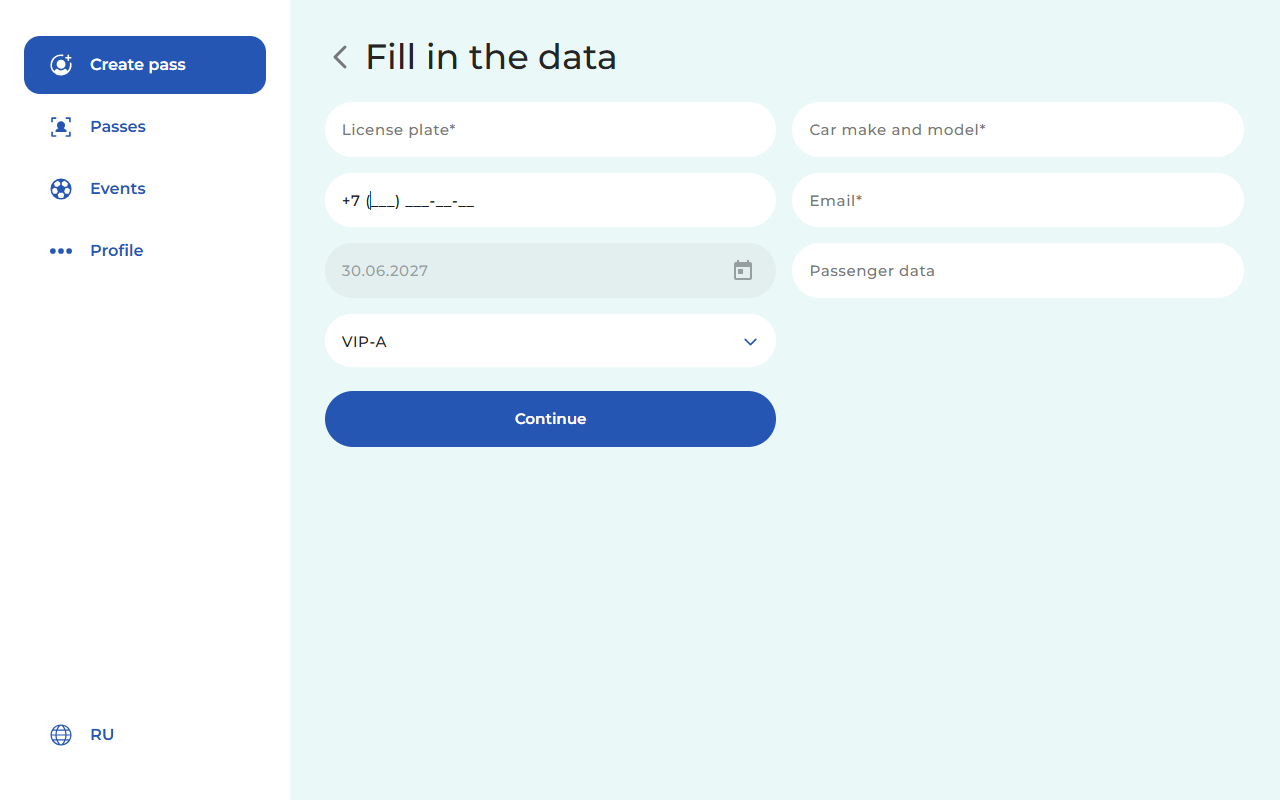
Fill in the details
A structured form for entering all required vehicle and contact information.
- Required fields marked with an asterisk
- Built-in calendar for precise validity dates
- Convenient input: license plate, make, phone, email
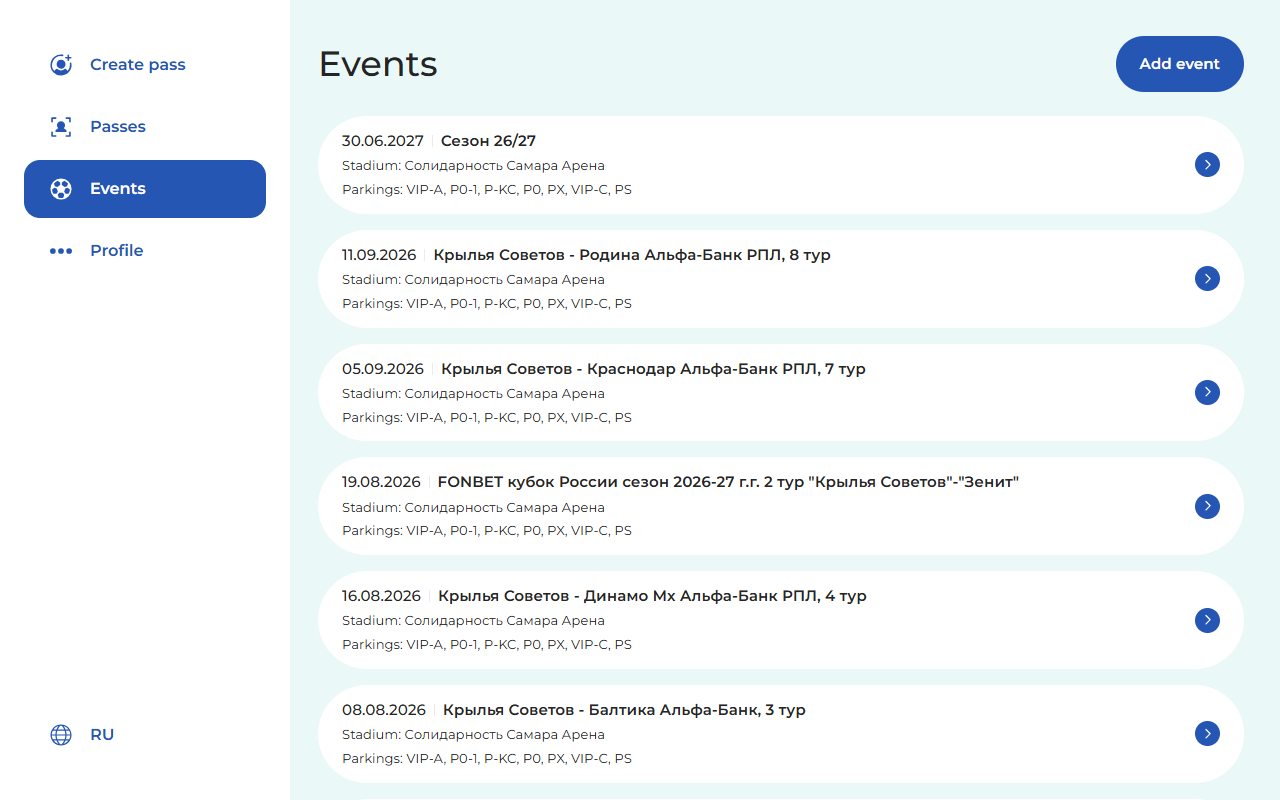
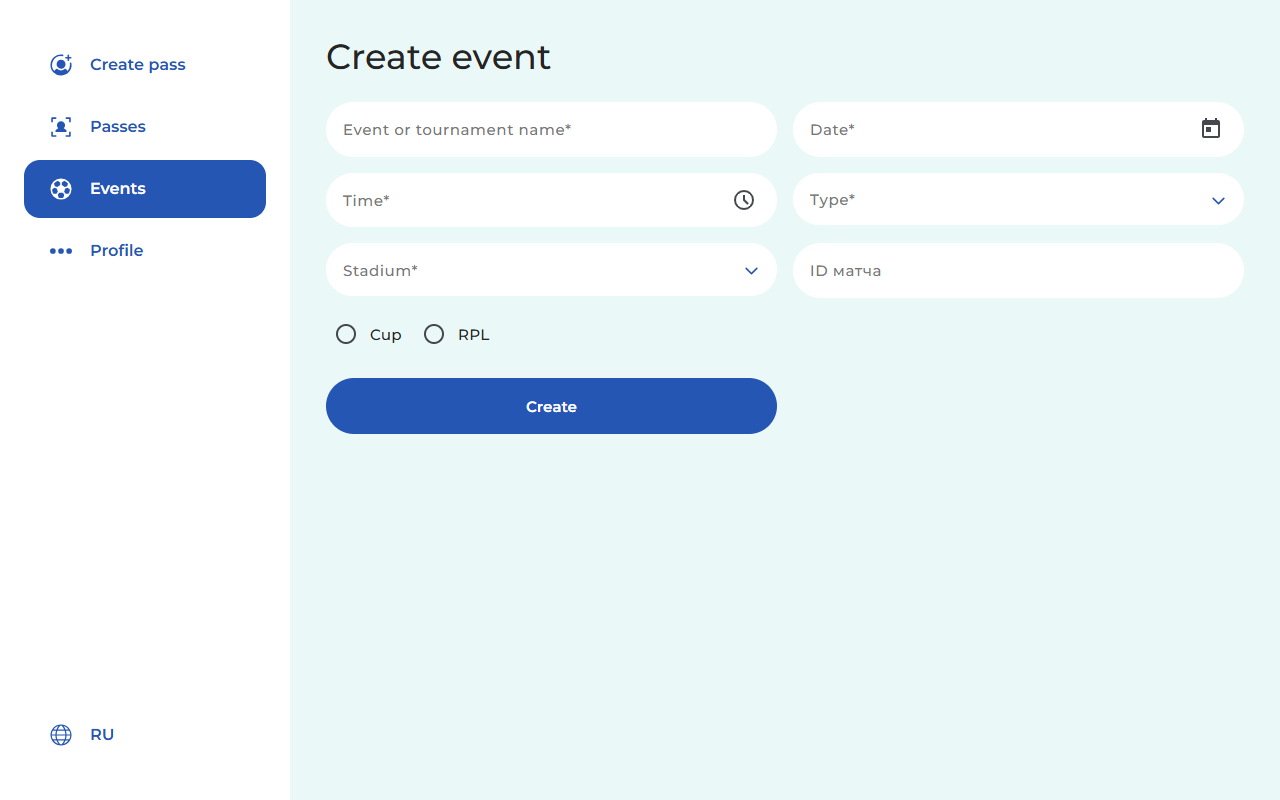
Event management
Flexible configuration of matches and tournaments, and parking-zone allocation.
- Unified registry of matches and tournaments
- Linking available parking zones (VIP, P0, PS) to the stadium
- Quick addition of new events with the stadium specified
- Categorization by tournament type (RPL, Cup, etc.) to load the correct pass template
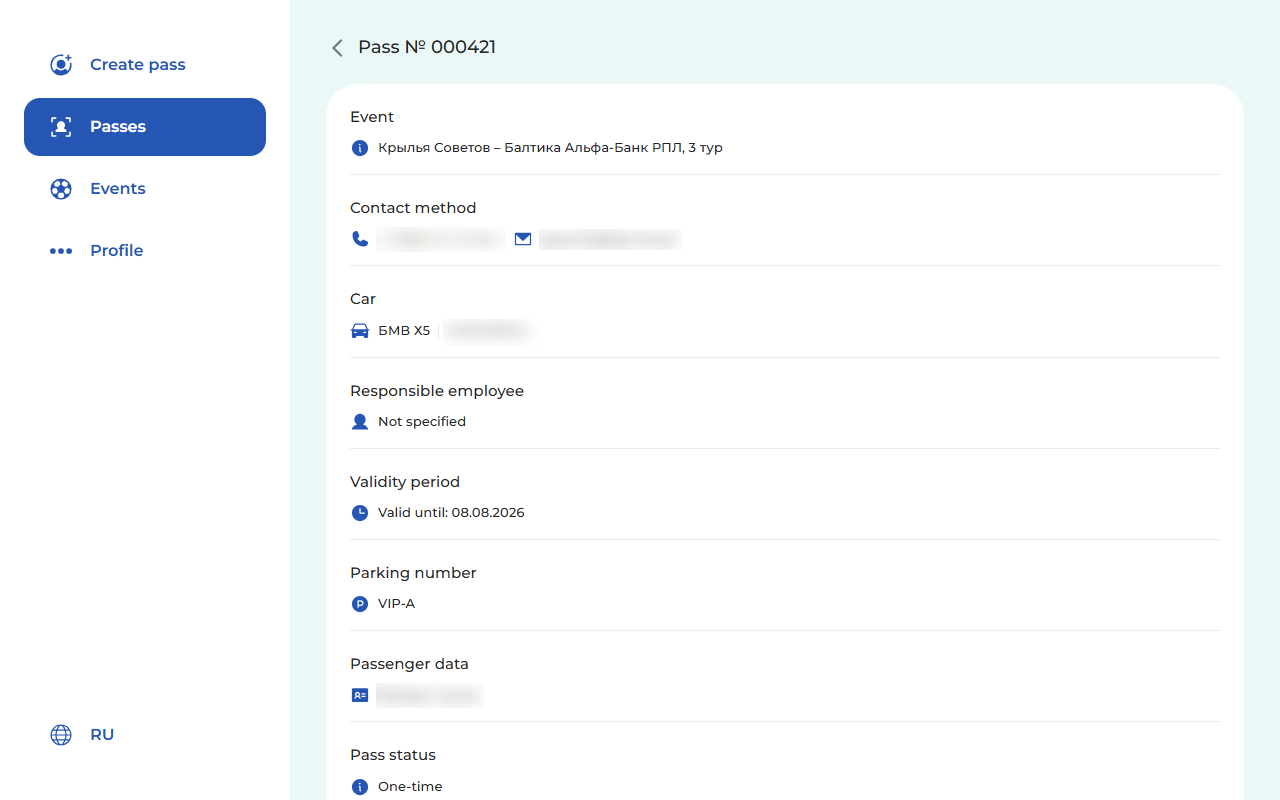
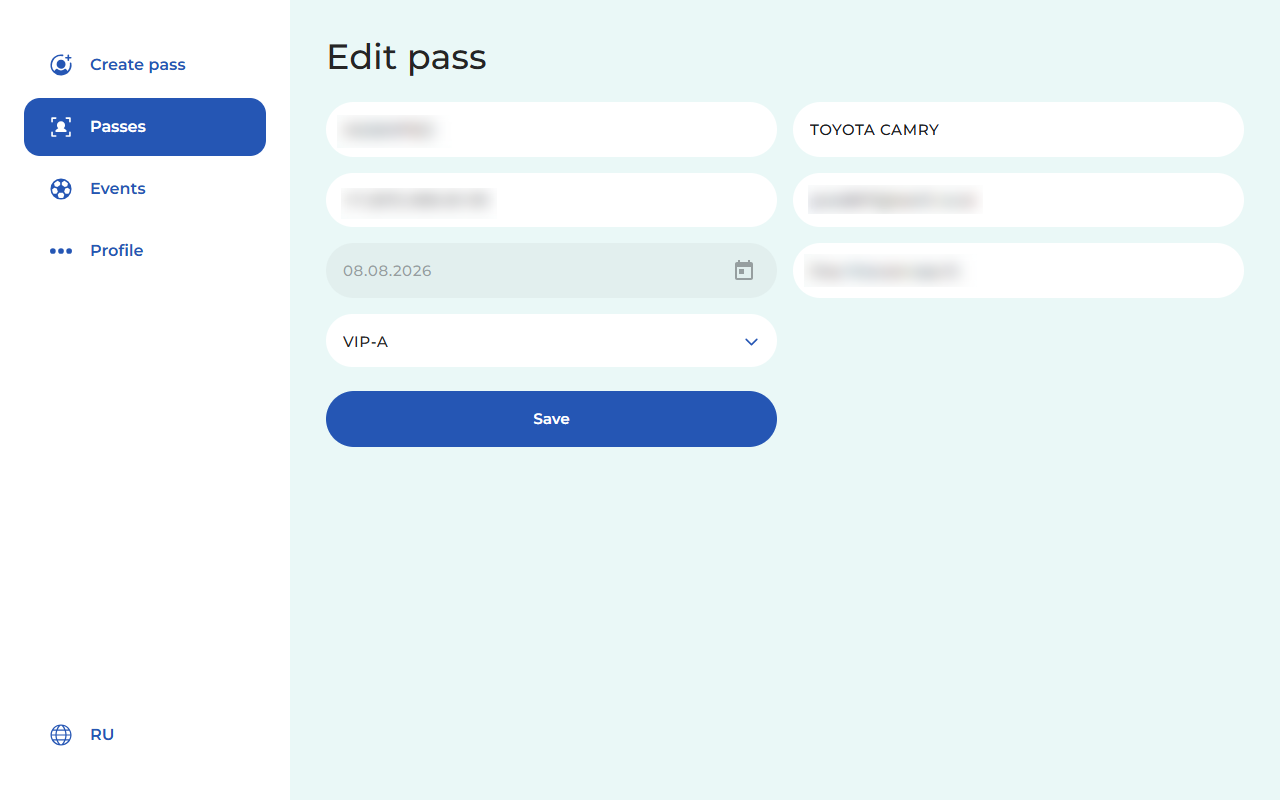
Pass database and editing
Transparency and control across the entire request lifecycle.
- Full information on the pass card, linked to the event
- All information stored in the database
- Editing of any field (vehicle, contacts, dates, parking)
- The updated pass is automatically resent to the recipient
QR security and control
Multi-layered protection against forgery, duplicates, and unauthorized access
Unique generation
Every pass gets a unique QR code and number. Forgery or manual guessing of data is ruled out.
Re-entry protection
On a repeat scan, the system instantly informs checkpoint staff that entry has already occurred.
Expiry-based lockout
The pass is automatically voided immediately after its set validity period expires or the match ends.
Mobile checkpoint verification
Security scans codes with an ordinary smartphone, requiring no costly integration with barrier gates.
Detailed log
Records every action: who created the request, who edited it, download and send events, and the exact scan time.
Backups
Database backups ensure all information is reliably preserved.
Administration and scaling
Flexible settings for full system control and adaptation to your processes.
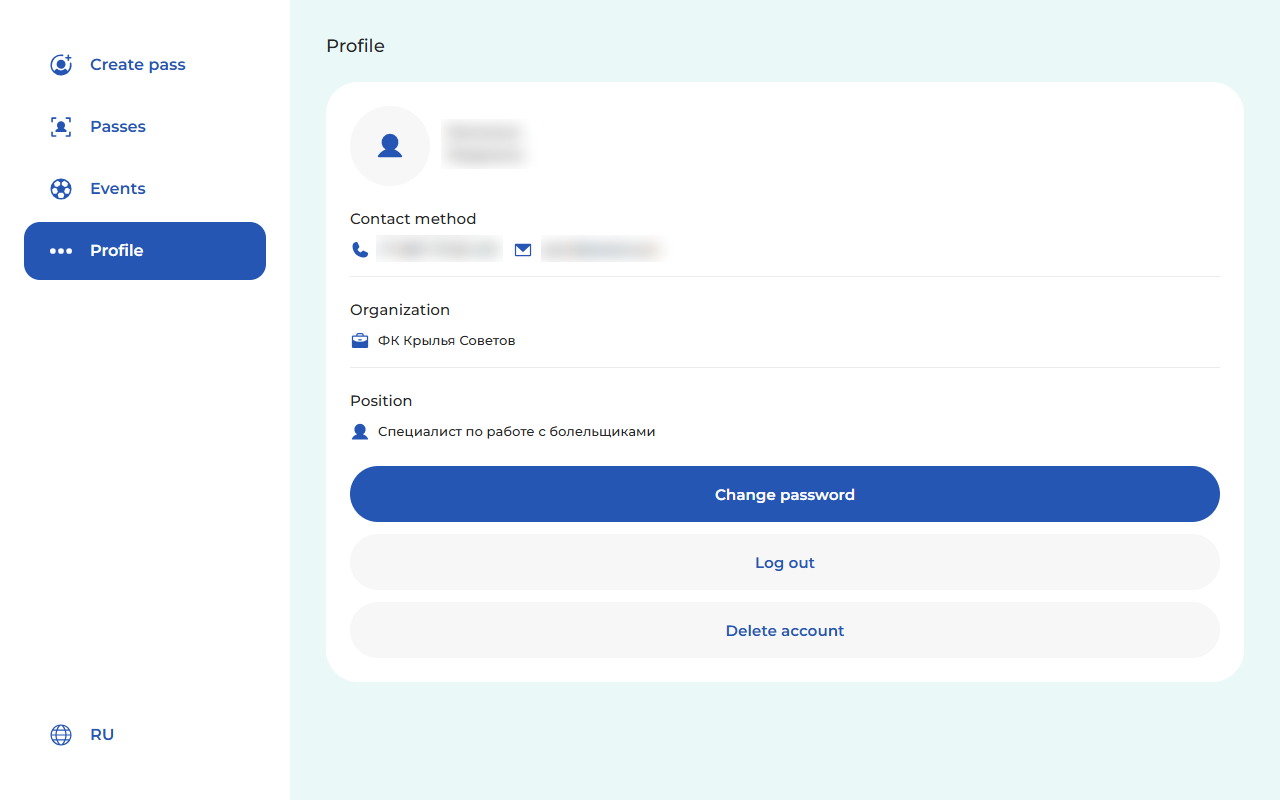
"Administrator" role
Manage passes within the personal dashboard. Information on who issued each pass.
Field configuration
All fields are filled in once. Previously entered fields are auto-populated.
Object directories
Maintain lists of stadiums, parking zones, and sporting events for quick selection.
User management
Control security staff accounts and assign access levels.
Scaling
The architecture is ready to support multiple venues simultaneously.
Branding
Customize the system interface and the visual style of PDF passes to match the client's brand guidelines.
Benefits for stadiums and arenas
Measurable business results: from faster processes to full transparency
faster checkpoint operations
Reduced verification and entry-processing time thanks to instant QR scanning
Fewer data-entry errors
Minimizes typos in license plate entry and reduces entry denials.
Transparent reporting
Full statistics on every entry, staff action, and parking-zone utilization.
Access control
Automatic tracking of pass validity periods and statuses, fully eliminating repeat entries.
Less manual work
Frees the security team from paperwork and manual list-checking; all processes are automated and transparent.
Works offline
When there's no internet connection, the database works locally with subsequent syncing.
Ready to implement
digital parking passes?
Contact us for a system demo and to discuss integration at your venue